Introduction to Arrays
An array keeps many values of the same type together in one fixed-size container, like eggs in a carton.
Novice · C# · Updated
After this lesson you can
- Explain what an array is and when to use one
Key takeaways
- An array keeps many related values together under one name, each in its own numbered spot.
- An array's size is fixed when you make it. For more values, you need a bigger array.
- Every value in an array has the same type: an
int[]holds only whole numbers, astring[]only text. - Use an array instead of separate variables such as
score1andscore2: the values travel together, andLengthcounts them.
So far, every variable you've made holds one value: one score, one price, one name. But real programs work with groups: a team's scores for every game, the prices in a shopping cart, the names in a class. An array lets you keep many related values together as one group, under one name.
An egg carton
Think about buying eggs. Even if you buy them one at a time at a farmers' market, you'd still put them in a container to carry them home.

Each egg is like a variable. Just as you want to keep your eggs together, you'll often want to keep values together. An egg carton is like an array: a container made for holding eggs, in numbered spots.
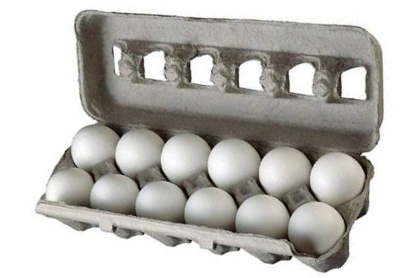
Fixed in size
An array has a fixed size. If you have a 6-egg carton, you can't stretch it to fit 12 eggs. You'd need a bigger carton, and you'd move the 6 eggs into it.

Arrays work the same way: you choose the size when you make one, and it never changes.
One type of thing
An array holds values of one type. You wouldn't put a dozen eggs in a 12-pack box made for soda cans. In the same way, an array of string values holds only text, and an array of int values holds only whole numbers.

Why use an array?
Compare five separate variables with one array:
int score1 = 80;
int score2 = 85;
int score3 = 90;
int score4 = 75;
int score5 = 95;

int[] scores = { 80, 85, 90, 75, 95 };
Console.WriteLine("Games played: " + scores.Length);
Games played: 5
With separate variables, adding a sixth game means a new variable and new code everywhere you use them. With an array, the values travel together: you can pass all of them to a method at once, count them with Length, and, as you'll see in this chapter, visit every one of them with a loop.
Do it: keep a season's scores in one array
Georgia's football team played six games this season. Keep all six scores together in one array, and let the array count them.
The scores, in game order:
| Game | 1 | 2 | 3 | 4 | 5 | 6 |
|---|---|---|---|---|---|---|
| Points | 24 | 17 | 31 | 10 | 28 | 21 |
The array holds 6 scores, so the program prints exactly this line:
Games this season: 6
Your job: finish the program.
- Fill the
int[]namedgameScoreswith the six scores, in game order. - Print
Games this season:and how many scores the array holds, using itsLength. - Print nothing else.
Practiced live on the lesson page: write the C# right there and check it.
Check yourself
1 question to try on the lesson page.
So what
Most interesting data comes in groups. An array is the simplest way to keep a group together: one name, one type, a fixed number of numbered spots.