Static Websites
A static website is built from hand-written HTML files, so the path in a page's URL is the path to that file on the server.
Apprentice · Web Development · Updated
The pages you built in the HTML and CSS chapter were static websites. A static web application is one where each page is created by hand. To add a new page to your site, you need to add a new .html file. Each file is a new resource. This means that the physical path to the file is also the path you see in the browser.
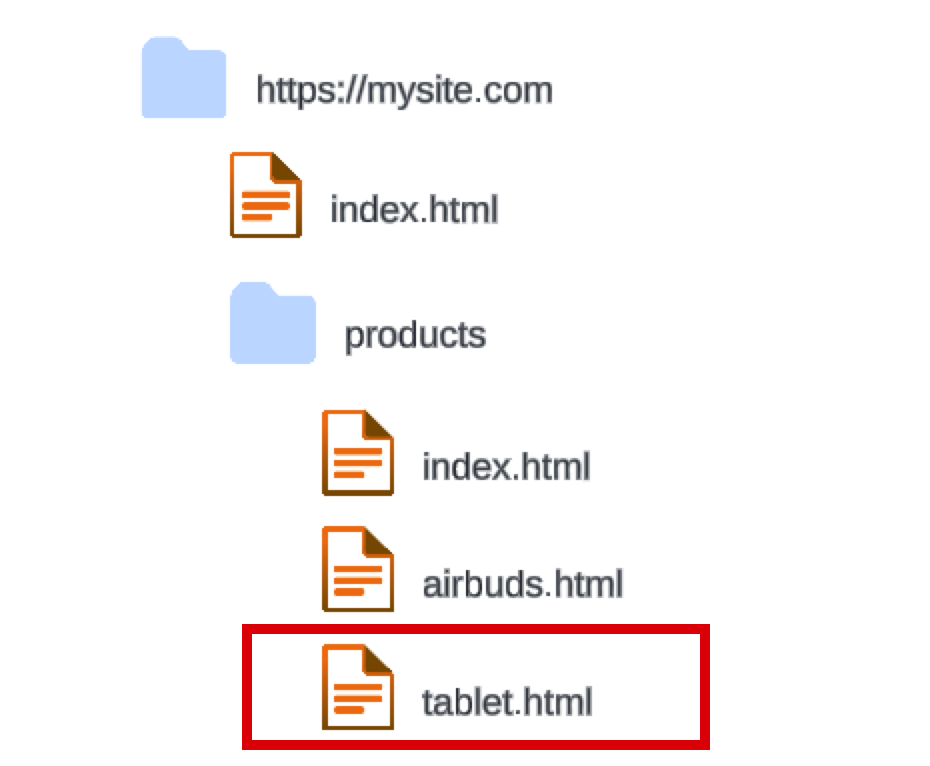
The resource address: https://mysite.com/products/tablet.html.
Do it: link the bakery's pages by their files
The Sunrise Bakery's website is a static website: every page is an HTML file the owner wrote by hand. The site's address is https://sunrisebakery.com, and its files sit in the site's folder on the server like this:
index.html
menu.html
cakes/
    birthday.html
    wedding.html
On a static website, a page's URL is the site's address, then /, then the file's path in that folder. For example, the birthday cakes page:
| The site's address | Then | The file's path | The page's URL |
|---|---|---|---|
https://sunrisebakery.com |
/ |
cakes/birthday.html |
https://sunrisebakery.com/cakes/birthday.html |
Your job: under the heading, write a nav that holds three links, each an <a> with its page's whole URL in href:
Our menu: the page inmenu.html.Birthday cakes: the page incakes/birthday.html.Wedding cakes: the page incakes/wedding.html.
Practiced live on the lesson page: write the HTML right there and check it.