PUT
Handle a PUT request with @PutMapping, taking the category's id from the URL and its new values from the body, update it with a JdbcTemplate and return the updated category with a 200 status.
Journeyman · Spring Boot · REST API · Updated
Updating a record should be done through a PUT request. When a client PUTs a record - they must include the information that will be updated in the body. Additionally, the record id should be included in the URL
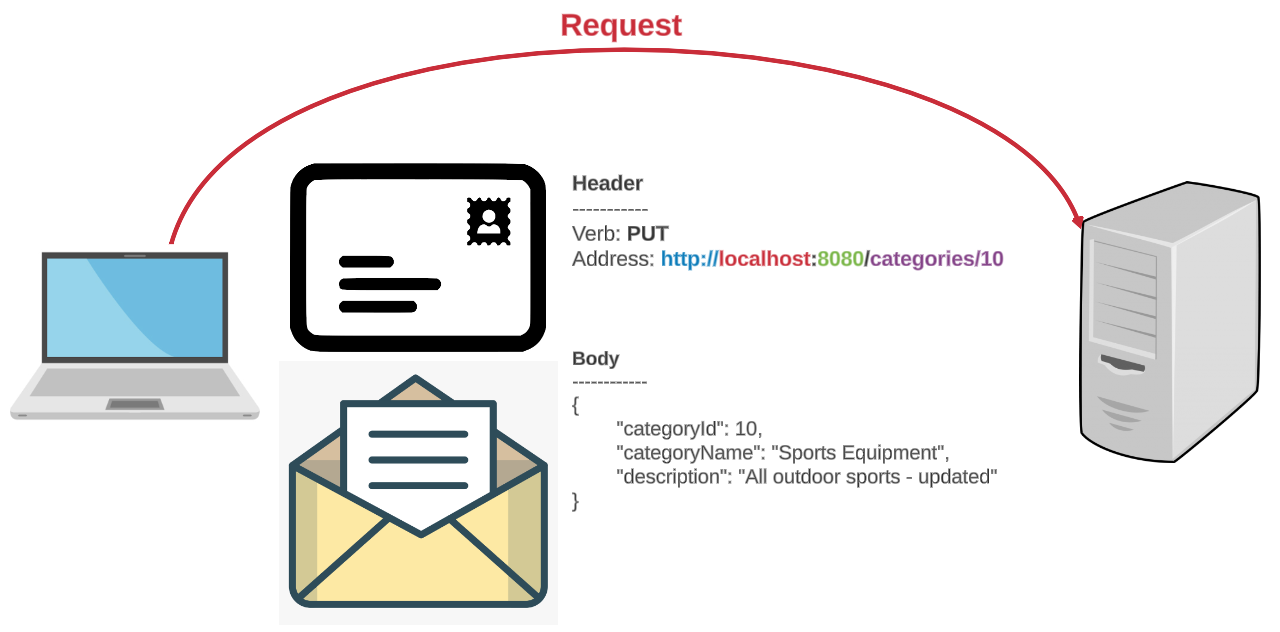
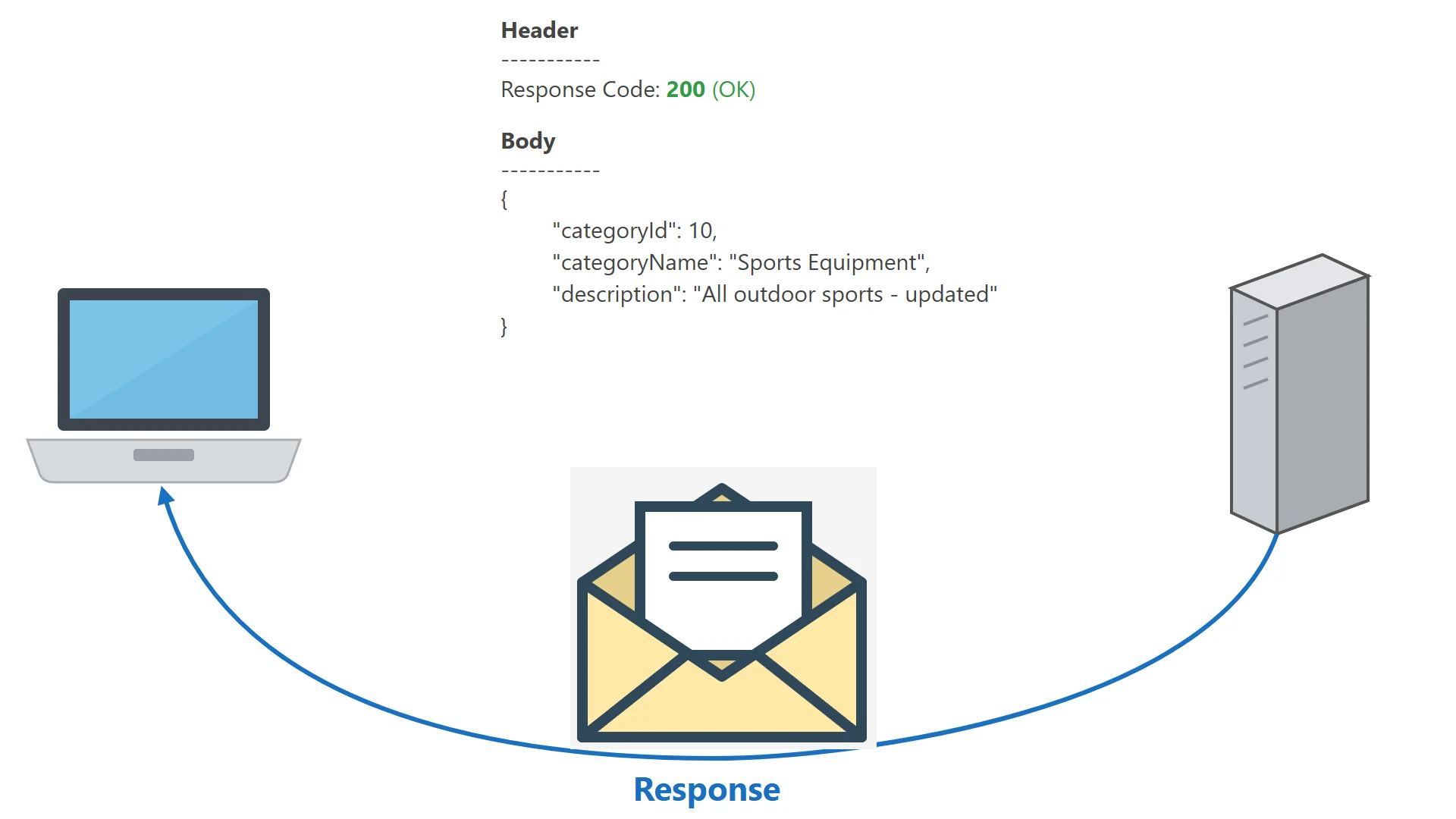
The server will update the data, and then, just like a POST, it should respond with the full resource as it is now saved.
PUT Request - Client
In Insomnia, this is your Update Snacks request from Insomnia: PUT, with the whole category as JSON on its Body tab:
PUT {{ _.base_url }}/api/categories/10
{
  "categoryName": "Snacks",
  "description": "Chips, nuts, pretzels and popcorn"
}
PUT Request - Server
The method responsible for handling the request must be marked with a @PutMapping annotation to handle the request. The id of the resource must be marked as a @PathVariable. The body of the request is passed as a method parameter using the @RequestBody annotation. The method returns the updated category, and a successful request returns the default status code of 200 (OK), so no @ResponseStatus annotation is needed.
@PutMapping(path="/api/categories/{id}")
public Category updateCategory(@PathVariable int id,
                               @RequestBody Category category)
{
    // the update method of the DAO returns
    // the category as it is now saved in the database
    return categoryDao.update(id, category);
}
DAO Logic
The DAO updates the record, using the id from the URL, not one from the body: the address is the one that says which category to change. Then, just as the insert method did, it reads the row back, so the caller gets every column as it is now saved.
public Category update(int id, Category category)
{
    String sql = """
            UPDATE categories
            SET category_name = ?
                , description = ?
            WHERE category_id = ?
            """;

    jdbcTemplate.update(sql,
            category.getCategoryName(),
            category.getDescription(),
            id);

    // read the updated row back, so the caller gets every column
    return getCategoryById(id);
}
Why send back a category the client just sent? Because what the database saved can differ from what was sent, for example a column the database fills in itself. Answering with the saved record means the client shows exactly what is stored, without a second GET request.
Older APIs often answered a PUT with 204 (no content) and an empty body. It still works, but returning 200 with the updated record is the common choice today.
And if there is no category with that id? The API should answer 404 (not found). The lesson on returning a ResponseEntity<T>, later in this sprint, shows how to choose that status code.
PUT Response - Client
Add the method to your controller and the update method to your DAO, run the app again, and send Update Snacks. The 404 Not Found from Insomnia: PUT is now 200 OK, with the category as it's now saved. Send Update Snacks, name only too: its answer's description is null, because a PUT replaces the whole item.
Do it: update a category in a list, the way the DAO does
The DAO's update changes the row with the address's id, then reads it back, so the controller can answer with the category as it's now saved, or with nothing when there's no such category. Write that update for a list of categories instead of a database.
Category is given at the bottom of the file, with getters and setters for its name and description.
The method gets three values:
categories: the saved categories, aList<Category>.id: the id from the address, anint, such as10fromPUT /api/categories/10.category: the category from the body. It has a name and a description, but no id: its id is0.
For example, the list holds Beverages (1), Seafood (8) and Snacks (10), and a client sends PUT /api/categories/10 with the name Snacks and the description Chips, nuts, pretzels and popcorn:
| categoryId | categoryName | description | |
|---|---|---|---|
| Snacks, saved before | 10 | Snacks | Chips, nuts and pretzels |
The body, category |
0 | Snacks | Chips, nuts, pretzels and popcorn |
| Snacks, saved after and returned | 10 | Snacks | Chips, nuts, pretzels and popcorn |
So update(categories, 10, category) changes Snacks in the list, and returns it with its new description.
Your job: write the method update(List<Category> categories, int id, Category category) so it returns a Category.
- Find the category in the list whose id is
id. - Set its name and its description to the body's, even when the body's description is
null: a PUT replaces the whole item. - Keep its id: the id comes from the address, never from the body.
- Return the category as it's now saved.
- When no category has that id, change nothing and return
null.
Practiced live on the lesson page: write the Java right there and check it.