Calculations in Columns
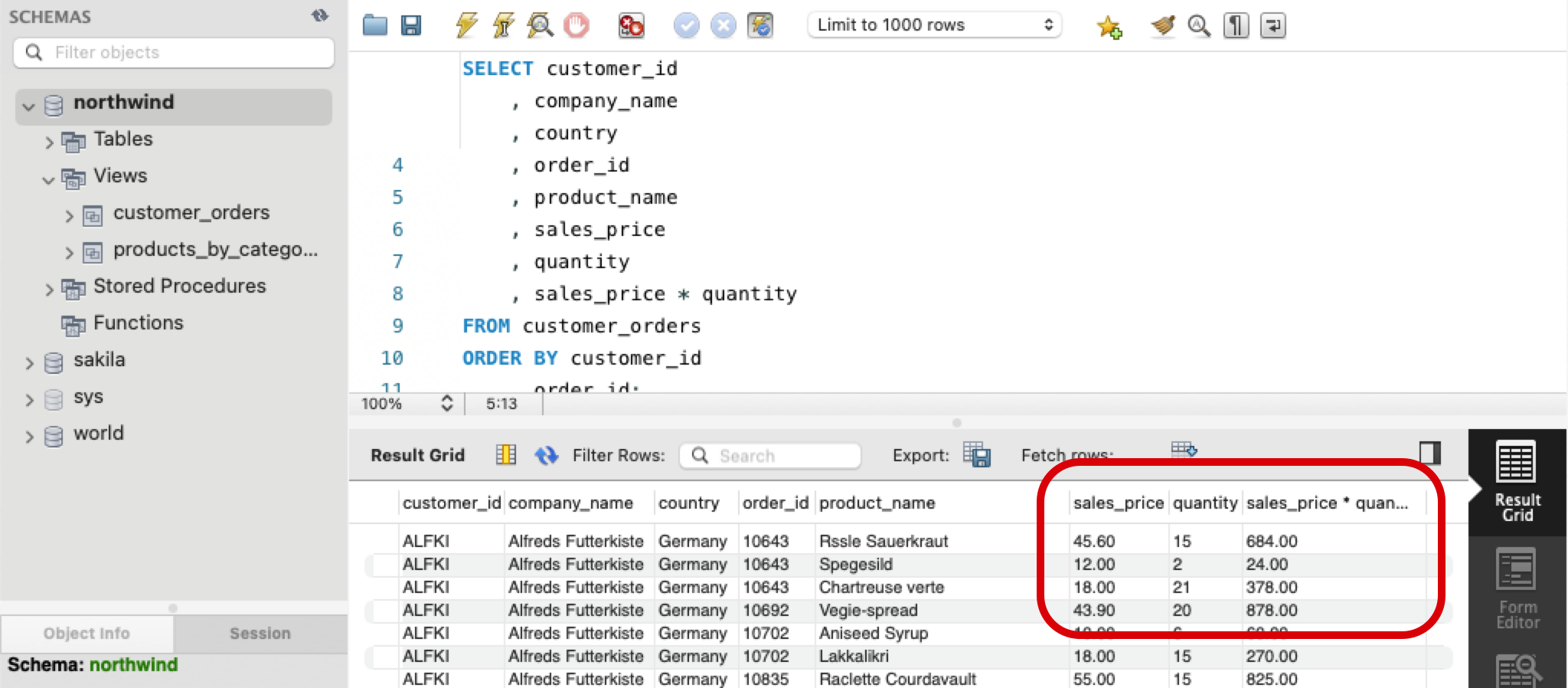
Calculate a new column from other columns in the same row, such as sales_price * quantity.
Apprentice · SQL · MySQL · Updated
SQL allows you to perform calculations as you request the data. When you calculate a column, you can only use other columns from the same row.
SELECT customer_id
    , company_name
    , country
    , order_id
    , product_name
    , sales_price
    , quantity
    , sales_price * quantity
FROM customer_orders
ORDER BY customer_id
    , order_id;
For example, you can multiply the sales_price * quantity of each product purchased.
Do it: count the units once deliveries arrive
Suppliers have deliveries on the way. The buyer wants to know how many of each product the warehouse will have once they arrive: the units in stock now, plus the units on order.
The products table (the Tables tab shows the SQL that makes it) has these rows:
| product_name | units_in_stock | units_on_order |
|---|---|---|
| Chai | 39 | 0 |
| Chang | 17 | 40 |
| Aniseed Syrup | 13 | 70 |
| Chef Anton's Gumbo Mix | 0 | 0 |
| Grandma's Boysenberry Spread | 120 | 0 |
For example, Chang has 17 in stock and 40 on order: 17 + 40 = 57.
The starter already names its second column: AS units_soon after a column gives it that name in the result. (Without a name, a calculated column is named after the calculation itself.) Right now that column holds only the units in stock.
Your query should give exactly these rows, in any order:
| product_name | units_soon |
|---|---|
| Chai | 39 |
| Chang | 57 |
| Aniseed Syrup | 83 |
| Chef Anton's Gumbo Mix | 0 |
| Grandma's Boysenberry Spread | 120 |
Your job: change the query in the box so it gives the buyer's list.
- Two columns:
product_name, then the calculated column namedunits_soon. units_soonis the row'sunits_in_stockplus itsunits_on_order.- Every product: no filter.
Practiced live on the lesson page: write the SQL right there and check it.