Stacks
A Stack is a collection that allows you to access the elements in the reverse order in which they were added to the collection.
Journeyman · Java · Updated
A Stack is a collection that allows you to access the elements in the reverse order in which they were added to the collection.
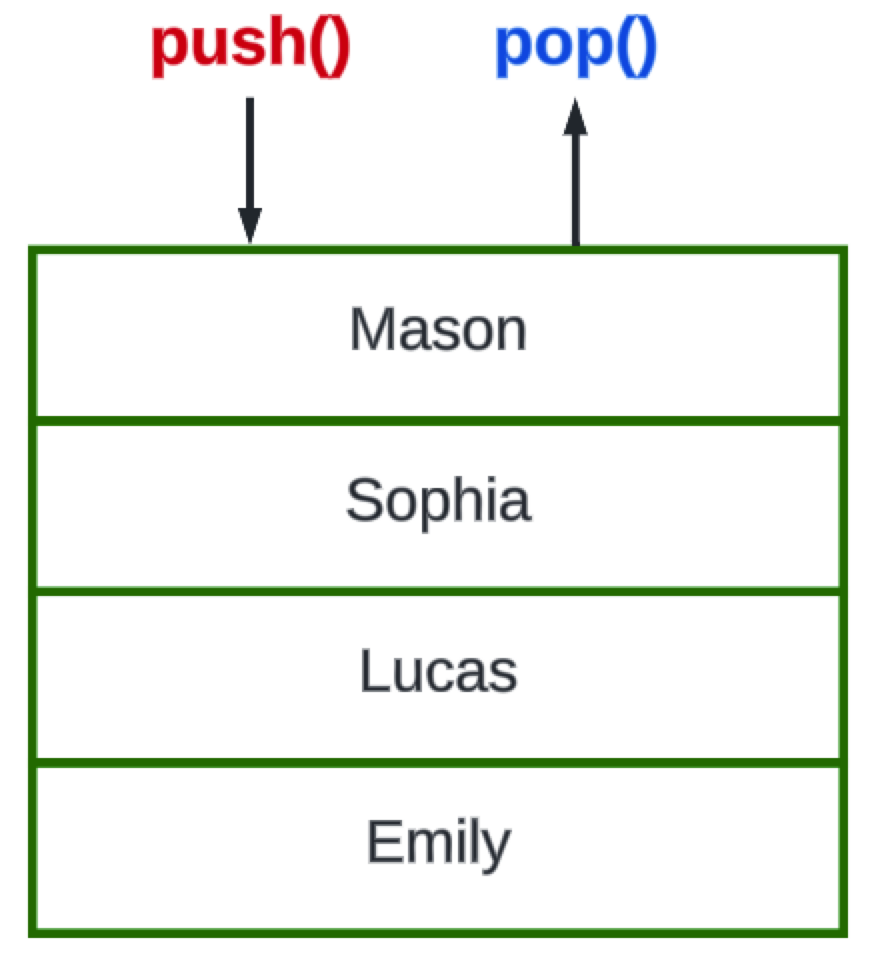
It is a Last-In-First-Out (LIFO) type of list. Instead of accessing elements by their ordinal position, we remove the top item.
To add a new item you push(item) it to the top of the stack. To remove an item, you pop() it off the top of the stack.
Stack<String> players = new Stack<>();

players.push("Emily");
players.push("Lucas");
players.push("Sophia");
players.push("Mason");

while(!players.isEmpty())
{
    String player = players.pop();
    System.out.println(player);
}
Do it: an Undo button for a notes app
A notes app has an Undo button. Each time you type, the app remembers the text you had before; Undo brings that text back. Press it again, and it goes one more step back. The most recent change comes back first, so the app keeps its history in a stack.
Notes already has:
history: aStack<String>of the texts you had before each change, empty at first.text: the note's text now,""(empty) at first, withgetText().
type gets one value:
words: the words to add to the end of the note, aString, such as"Buy milk".
For example:
Notes notes = new Notes();
notes.type("Buy milk");
notes.type(", eggs");
notes.type(", jam");
notes.undo();
| Step | text after it |
history, top first |
|---|---|---|
| Start | "" |
(empty) |
type("Buy milk") |
"Buy milk" |
"" |
type(", eggs") |
"Buy milk, eggs" |
"Buy milk", "" |
type(", jam") |
"Buy milk, eggs, jam" |
"Buy milk, eggs", "Buy milk", "" |
undo() |
"Buy milk, eggs" |
"Buy milk", "" |
So notes.getText() is "Buy milk, eggs".
Your job: write the two methods of the class Notes.
type(String words): push the text you have now ontohistory, then addwordsto the end oftext.undo(): take the most recent text offhistory, and make it the text.- When
historyis empty,undo()does nothing: the text stays as it is, with no error.
Practiced live on the lesson page: write the Java right there and check it.