Adding Test Classes
Add the JUnit dependency to pom.xml, then let IntelliJ generate a test class for the class you want to test.
Apprentice · Java · Unit Testing · Updated
Adding JUnit unit tests to your project requires a dependency on JUnit. Open your pom.xml file at the root of your project to add the following dependency.
<dependencies>
    <dependency>
        <groupId>org.junit.jupiter</groupId>
        <artifactId>junit-jupiter</artifactId>
        <version>5.8.1</version>
        <scope>test</scope>
    </dependency>
</dependencies>
Once you have added the JUnit dependency you are ready to add the test class. It is easily added by opening the class for which you want to write unit tests.
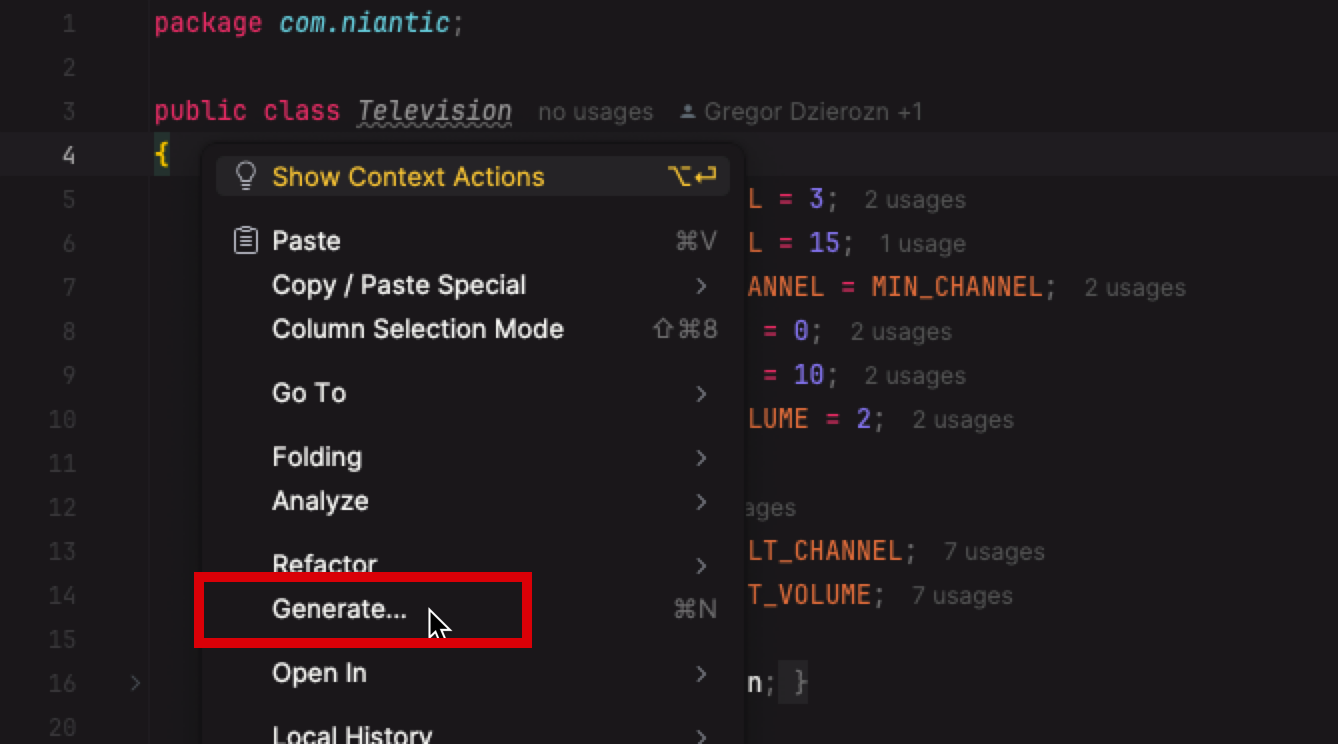
Right-click anywhere in the class and click Generate...
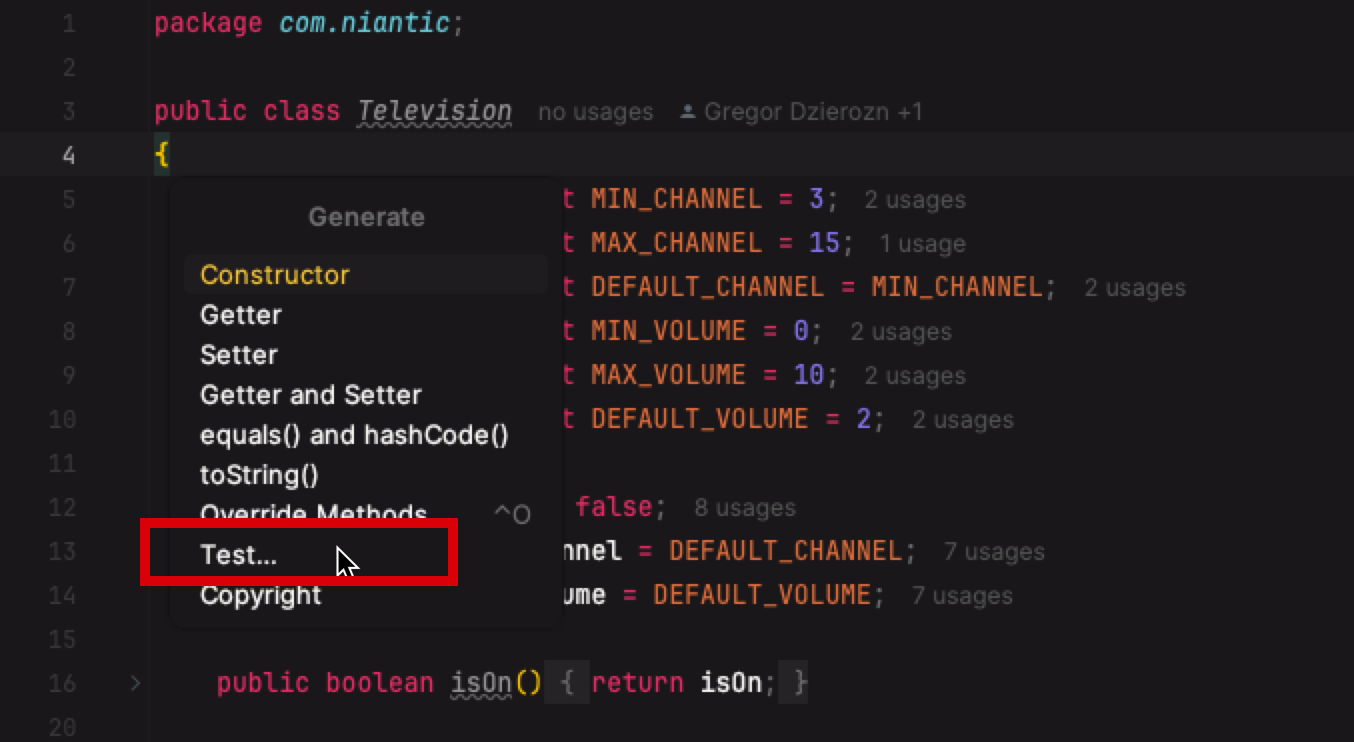
Select Test...
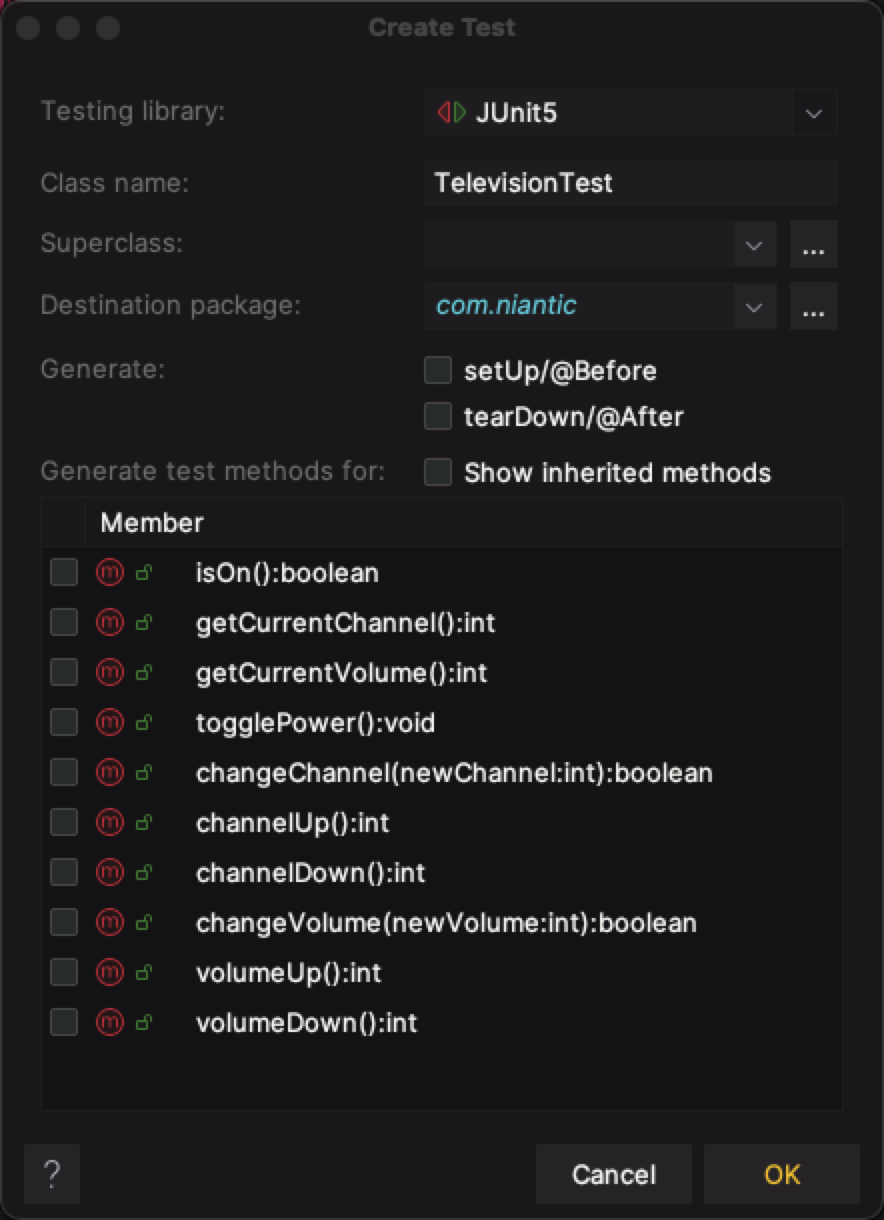
Click OK to generate the unit test class.
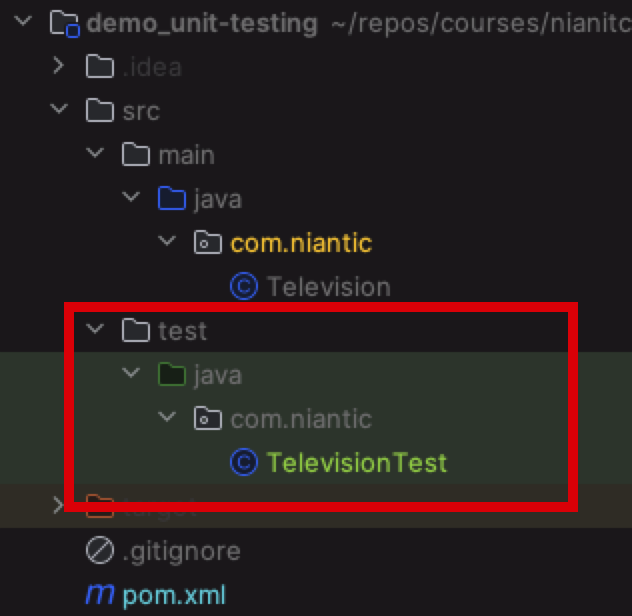
A new TelevisionTest class is created for you in the test folder of your project.