The MSTest Framework
MSTest is Microsoft's testing framework for .NET. A test runner finds and runs your tests; a test class holds the tests for one class, in a test project of its own.
Apprentice · Unit Testing · C# · Updated
After this lesson you can
- Explain what a testing framework, a test runner, a test project and a test class are
Key takeaways
- A testing framework such as MSTest comes with a test runner: it finds every test, runs each one and reports which passed and which failed.
- Start the runner with Test > Run All Tests in Visual Studio, or
dotnet testin the terminal. - Tests live in a test project of their own, named after the app with
.Testson the end, so they never ship with your app. - Each class you test gets its own test class, named after it with
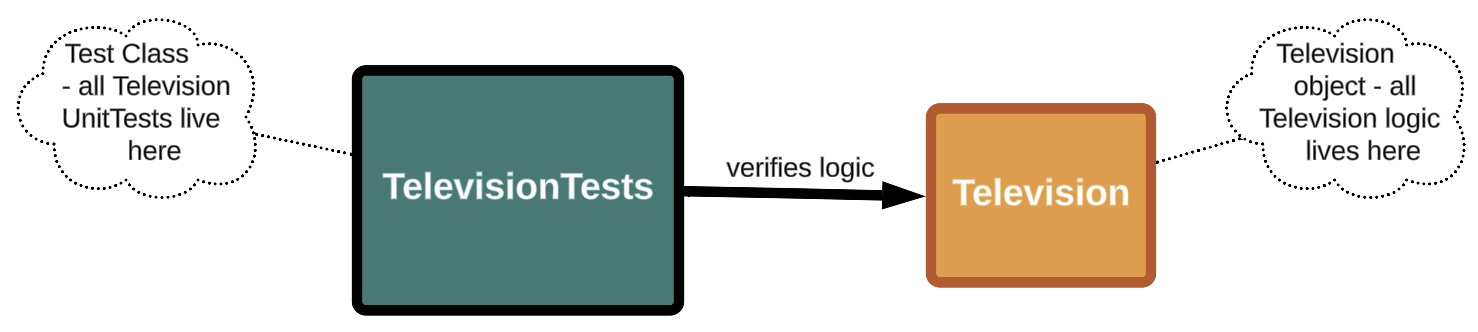
Testson the end:TelevisionTeststestsTelevision.
To test a class, something has to create its objects, call their methods and check the results. You could write a console program for each class you want to test, but you'd be writing the same kind of program over and over. A testing framework writes that program once, for everyone.
MSTest is Microsoft's testing framework for .NET, and the one this course uses. (You may also meet xUnit and NUnit: they do the same job, with slightly different names for things.)
The test runner
MSTest comes with a test runner: a ready-made program that finds every test in your project, runs each one, and reports which passed and which failed. You never write it; you start it:
- In Visual Studio: Test > Run All Tests, and the results appear in Test Explorer.
- In the terminal:
dotnet test.
Passed! - Failed: 0, Passed: 14, Skipped: 0, Total: 14, Duration: 52 ms - TvRemote.Tests.dll (net10.0)
Test projects and test classes
Tests live in a test project of their own, beside the project they test, so the tests never ship with your app. Name it after the project, with .Tests on the end:
TvRemote/              the app: Television.cs, Program.cs
TvRemote.Tests/        the tests: TelevisionTests.cs
TvRemote.slnx          one solution holds both
Inside it, each class you test gets its own test class, named after it with Tests on the end. TelevisionTests holds every test for Television:
| Part | Who writes it | What it does |
|---|---|---|
| Test runner | MSTest | Finds and runs every test, and reports the results |
| Test project | You, once | Holds the tests, apart from the app |
| Test class | You, one per class | Holds the tests for one class |
| Test method | You, one per scenario | Tests one thing |
Do it: say where a class's tests go
Every class you test gets a test class, in a test project beside the app. Your team wants a small helper that says where each test class's file goes, so nobody has to remember the naming rules.
The method gets two values:
appName: the name of the app's project, such as"TvRemote".className: the name of the class to test, such as"Television".
For example, the Television class in the TvRemote app:
| Part | The rule | Here |
|---|---|---|
| Test project | the app's name, then .Tests |
TvRemote.Tests |
| Test class | the class's name, then Tests |
TelevisionTests |
| The file | the test project, a /, the test class, then .cs |
TvRemote.Tests/TelevisionTests.cs |
So TestFilePath("TvRemote", "Television") returns "TvRemote.Tests/TelevisionTests.cs".
Your job: write the method TestFilePath(string appName, string className) so it returns that path, a string, for any app and class.
- Start with the test project's name: the app's name, then
.Tests. - Then a
/. - Then the test class's name: the class's name, then
Tests. - End with
.cs.
Practiced live on the lesson page: write the C# right there and check it.
Check yourself
1 question to try on the lesson page.
So what
The runner does the running and reporting; your job is only the tests. With one test class per class, every class in your app gets its own safety net.