Installing the Machine Learning Toolkit
Machine learning in Python needs five packages that don't come with Python, NumPy, pandas, scikit-learn, matplotlib and ipykernel, installed into a project's virtual environment from a requirements.txt that pins each exact version, checked with sklearn.show_versions(), and used from a notebook to explore and a .py file for the code pytest checks.
Apprentice · AI Basics · Python · Updated
After this lesson you can
- Install the toolkit from a pinned requirements.txt, and say what NumPy, pandas, scikit-learn, matplotlib and ipykernel are each for
- Check the toolkit with sklearn.show_versions(), and explain why exact pins keep a lesson's numbers the same on every computer
- Choose a notebook for exploring data and a .py file for exercise code that pytest imports and checks
Key takeaways
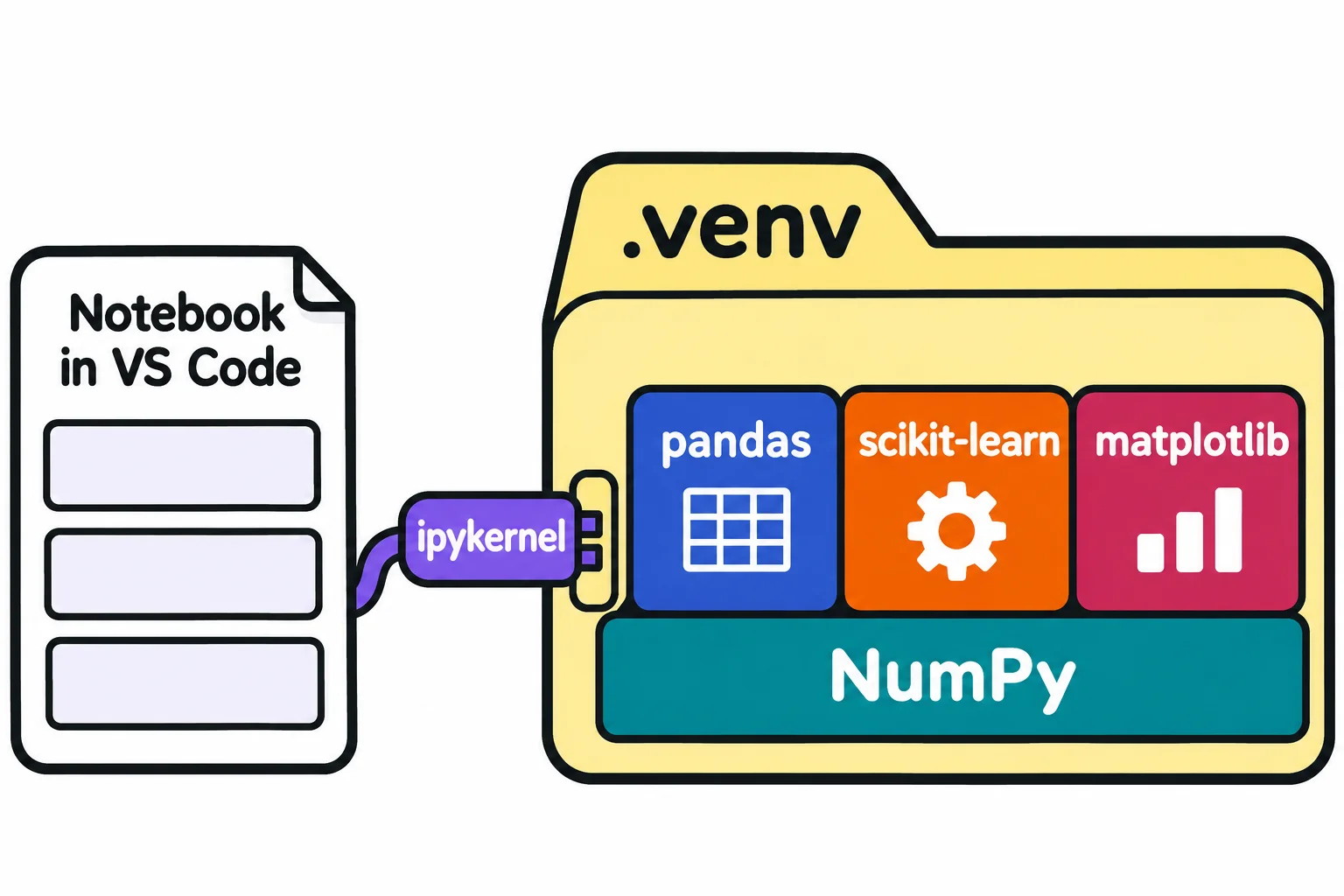
- NumPy does fast math on arrays of numbers, pandas holds tables, scikit-learn has the models, matplotlib draws charts, and ipykernel lets a notebook run your project's Python.
- scikit-learn is installed by the name scikit-learn but imported as sklearn. Installing a package named sklearn fails on purpose.
- Exact pins such as scikit-learn==1.9.1 keep your numbers the same as the lesson's, because a new version can change a default or its random numbers.
- sklearn.show_versions() proves the install worked and lists the version of every package scikit-learn uses.
- Explore the data in a notebook, and write exercise code in a .py file, because pytest can import a function from a file but not from a notebook cell.
Open almost any machine learning notebook, from a class, a tutorial or a coworker, and it starts with imports such as import pandas as pd and from sklearn.linear_model import LinearRegression. On a fresh Python, those lines stop with an error. This lesson sets up the toolkit every exercise in this course uses, so the same code gives you the same numbers the lesson shows.
It assumes Python, VS Code and Git are installed and you can make a virtual environment, as Setup on Windows: Python, VS Code and Git (or Setup on a Mac) and Virtual Environments and pip show.
A new environment has no scikit-learn
Make a practice folder, ml-toolkit, inside your python-course folder, open it in VS Code (File > Open Folder), and make its virtual environment in VS Code's terminal. On Windows (PowerShell):
python -m venv .venv
.venv\Scripts\Activate.ps1
On a Mac (zsh):
python3 -m venv .venv
source .venv/bin/activate
With the prompt starting (.venv), ask for scikit-learn, the package this course's models come from (the same line works in PowerShell and in zsh):
python -c "import sklearn"
Traceback (most recent call last):
  File "<string>", line 1, in <module>
    import sklearn
ModuleNotFoundError: No module named 'sklearn'
python -c reads "run this line of code". ModuleNotFoundError, on the last line, means the Python that ran the line doesn't have that package: a new environment starts with none.
Notice the name. The package is called scikit-learn when you install it, but sklearn when you import it, the way a store might be "Sunrise Bakery and Café" on its sign and "Sunrise" to everyone in town. The obvious fix, pip install sklearn, fails on purpose: the sklearn name on PyPI is kept as a placeholder so nobody can publish a look-alike package under it, and installing it stops with an error that says The 'sklearn' PyPI package is deprecated, use 'scikit-learn' rather than 'sklearn' for pip commands.
Five packages, pinned in requirements.txt
In the ml-toolkit folder, make a file named requirements.txt with these lines. == reads "exactly version":
scikit-learn==1.9.1
pandas==3.1.1
numpy==2.5.5
matplotlib==3.11.2
ipykernel==7.4.0
pytest==9.2.0
| Package | What it's for |
|---|---|
numpy |
NumPy (read "num-pie"): fast math on whole arrays of numbers; the others are built on it |
pandas |
Tables: loading a CSV file and looking at it |
scikit-learn |
The models, and tools to split data and measure them |
matplotlib |
Charts that show what a model does |
ipykernel |
Lets VS Code run a notebook with this folder's Python, the one in .venv |
pytest |
Runs the tests that check your exercise code |
Why exact versions? A model's numbers depend on the packages that made them. scikit-learn sometimes changes a default: k-means, which Module 5 uses, changed how many times it runs by default in version 1.4. And NumPy doesn't promise the same random numbers from a seed in every version; its policy says that for exactly the same results, you use exactly the same version. Pins are how your numbers match the lesson's.
With the environment on, install everything on the list. -r reads "from the file":
pip install -r requirements.txt
pip downloads each package and the packages each one needs, such as SciPy and joblib for scikit-learn. After a few minutes it ends with a long line that starts Successfully installed and names more than 40 packages. Six lines in your file, dozens of packages installed: that's normal.
Check the toolkit
Ask for scikit-learn's version again:
python -c "import sklearn; print(sklearn.__version__)"
1.9.1
__version__ (read "dunder version"; dunder is short for the double underscores) is the version the import found. For the whole picture, scikit-learn has a function that prints its version, your Python's, and every package it uses:
python -c "import sklearn; sklearn.show_versions()"
It prints several sections. The first, System, describes your Python and your computer, so yours will differ, and the last ones describe the math libraries underneath. The one to check is Python dependencies:
Python dependencies:
      sklearn: 1.9.1
          pip: 25.1.1
   setuptools: None
        numpy: 2.5.5
        scipy: 1.18.1
       Cython: None
       pandas: 3.1.1
   matplotlib: 3.11.2
       joblib: 1.6.0
threadpoolctl: 3.8.0
     narwhals: 2.29.0
scikit-learn, NumPy, pandas and matplotlib match requirements.txt exactly; SciPy, joblib, threadpoolctl and narwhals came with scikit-learn; your pip's version may differ. None means a package isn't installed, which is fine for these two: scikit-learn doesn't need setuptools or Cython to run. If you see ModuleNotFoundError instead, the virtual environment isn't on: check that the prompt starts with (.venv), activate it again, and run the install once more.
A notebook to explore, a .py file to hand in
VS Code runs notebooks with its Jupyter extension by Microsoft, installed once from the Extensions view (Ctrl+Shift+X, or Cmd+Shift+X on a Mac). That's VS Code's half of notebook support; ipykernel, in the virtual environment, is Python's half. Your First Notebook in VS Code shows the rest.
This course uses two kinds of file. A notebook is for exploring: you load the data, look at it, and try a line, with each result saved under its cell. Here is a cell that takes a first look at Sunrise Bakery's 120 days of bread sales, in bakery_days.csv, which comes with Exercise: Bakery Data Check. shape is the table's size, (rows, columns), and head(3) its first three rows:
import pandas as pd

days = pd.read_csv("bakery_days.csv")
print(days.shape)
print(days.head(3))
(120, 5)
   day    weekday  high_temp_f  is_holiday  loaves_sold
0    1     Monday           70           0           74
1    2    Tuesday           78           0           96
2    3  Wednesday           74           0           93
A .py file (a module) is for the code you keep and test. Every exercise puts its functions in one, such as check.py, because pytest can import a function from a .py file, but it can't reach into a notebook's cells. So the habit is: try it in the notebook, then move what works into the module, where the tests check it.
Check yourself
2 questions to try on the lesson page.
So what
One pinned requirements.txt and one command give any computer the same machine learning toolkit, and sklearn.show_versions() tells you in seconds that yours matches the lesson's.
Sources
- scikit-learn 1.9.1, Installing scikit-learn:
pip install -U scikit-learn, checking an install withpython -c "import sklearn; sklearn.show_versions()", and a virtual environment as optional but strongly recommended, to avoid conflicts with other packages. - scikit-learn 1.9.1, sklearn.show_versions, API reference: prints useful debugging information.
- PyPI, sklearn: the
sklearnpackage is deprecated, usescikit-learn; since December 1, 2023, installing it raises an error. - scikit-learn 1.9.1, KMeans, API reference: Changed in version 1.4: Default value for n_init changed to 'auto'.
- NumPy, NEP 19: Random number generator policy: a
Generator's stream of numbers may change between versions, and to get exactly the same results, use exactly the same version of NumPy. - Python documentation, venv: creating and activating a virtual environment.
- VS Code documentation, Jupyter Notebooks in VS Code: notebooks through the Jupyter extension, a Python environment with IPyKernel installed, and the kernel picker in the notebook's upper right.