Finding Documents with find and findOne
A filter describes the documents you want, field by field; find gives back every document that matches, findOne the first one or null, and countDocuments how many there are.
Novice · MongoDB · Updated
After this lesson you can
- Write a filter that finds documents by an exact value in one field or two
- Choose find, findOne or countDocuments, and predict what each gives back, including when nothing matches
Key takeaways
- A filter is a document that describes the documents you want, field by field. Matching is exact, capital letters included.
- Two fields in one filter mean both must match.
- find gives back every match. mongosh shows 20 at a time, and typing it shows the next 20. An empty filter, {}, matches every document.
- findOne gives back the first document that matches, or null when none does.
- countDocuments gives back how many documents match, without listing them.
Every screen of an app that shows data asks the database a question first. A recipe site's Thai page asks "which recipes are Thai?", a recipe's own page asks for that one recipe, and the little "6 desserts" badge asks how many. In MongoDB, each of those questions is a find, a findOne or a countDocuments, and you'll write them in nearly every app that stores documents.
The examples use Sunday Kitchen's 40 recipes. If they aren't in your sunday_kitchen database yet, load them with the file from Adding Many Documents with insertMany.
A filter: documents that look like this
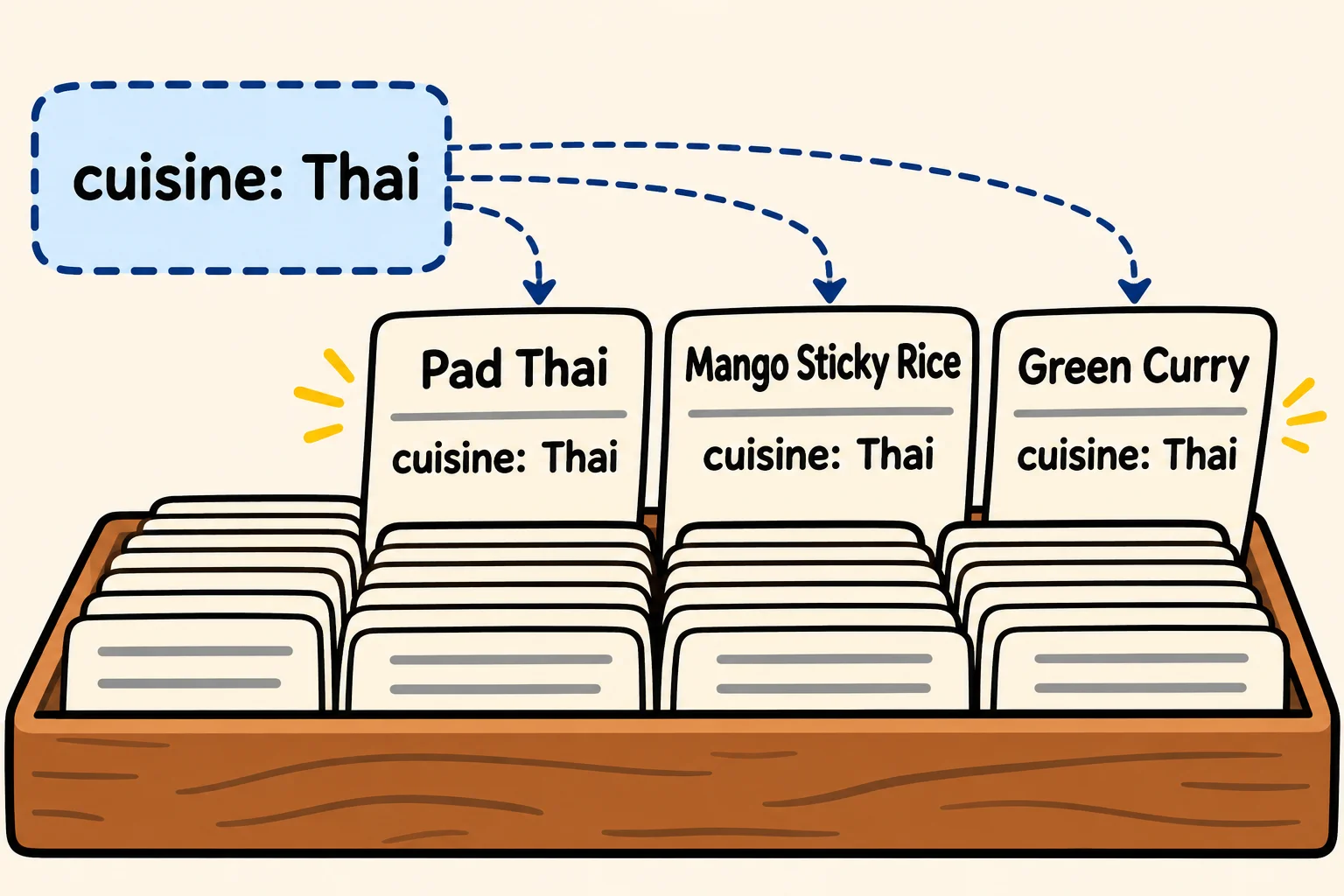
Forty recipe cards sit in a box, and you want the Thai ones. You wouldn't read every card aloud. You'd tell a friend "pull out the cards where the cuisine says Thai", and they'd hold each card up against that description.
A filter is that description, written as a document: the fields you care about and the values they must have. Give it to find, read aloud as "find the recipes whose cuisine is Thai":
db.recipes.find({ cuisine: "Thai" })
[
  {
    _id: 5,
    name: 'Pad Thai',
    cuisine: 'Thai',
    meal: 'dinner',
    minutes: 30,
    servings: 2,
    vegetarian: false,
    rating: 4.5,
    tags: [ 'noodles' ]
  },
  {
    _id: 28,
    name: 'Mango Sticky Rice',
    cuisine: 'Thai',
    meal: 'dessert',
    minutes: 40,
    servings: 4,
    vegetarian: true,
    rating: 4.6,
    tags: [ 'sweet', 'vegan' ]
  },
  {
    _id: 30,
    name: 'Green Curry',
    cuisine: 'Thai',
    meal: 'dinner',
    minutes: 35,
    servings: 4,
    vegetarian: false,
    rating: 4.3,
    tags: [ 'spicy' ]
  }
]
The match is exact, capital letters included: { cuisine: "thai" } finds nothing, because "thai" and "Thai" are different text. The other fields don't matter to the filter, so each recipe comes back whole.
Two fields mean both
Put two fields in one filter, and a document has to match both. This finds the Thai recipes that are also dinners:
db.recipes.find({ cuisine: "Thai", meal: "dinner" }, { name: 1, minutes: 1 })
[
  { _id: 5, name: 'Pad Thai', minutes: 30 },
  { _id: 30, name: 'Green Curry', minutes: 35 }
]
Mango Sticky Rice is Thai but a dessert, so it's left out. The second pair of braces, { name: 1, minutes: 1 }, doesn't change which recipes match: it only asks for fewer fields in each answer, the name and minutes, and the _id comes along by itself. Choosing Fields with Projections explains it properly; the rest of this chapter uses it to keep the answers short.
find hands back a cursor
An empty filter, {}, describes nothing in particular, so every document matches it. With 40 recipes, mongosh doesn't print them all at once:
db.recipes.find({}, { name: 1 })
[
  { _id: 1, name: 'Saturday Pancakes' },
  { _id: 2, name: 'Weeknight Chili' },
  { _id: 3, name: 'Lemon Bars' },
  { _id: 4, name: 'Chickpea Curry' },
  { _id: 5, name: 'Pad Thai' },
  { _id: 6, name: 'Margherita Pizza' },
  { _id: 7, name: 'Black Bean Tacos' },
  { _id: 8, name: 'Miso Soup' },
  { _id: 9, name: 'Greek Salad' },
  { _id: 10, name: 'Chicken Tikka Masala' },
  { _id: 11, name: 'Banana Bread' },
  { _id: 12, name: 'Spaghetti Carbonara' },
  { _id: 13, name: 'Veggie Stir-Fry' },
  { _id: 14, name: 'Beef Pho' },
  { _id: 15, name: 'Shakshuka' },
  { _id: 16, name: 'French Toast' },
  { _id: 17, name: 'Tiramisu' },
  { _id: 18, name: 'Chicken Fried Rice' },
  { _id: 19, name: 'Lentil Soup' },
  { _id: 20, name: 'Guacamole' }
]
Type "it" for more
find doesn't hand back the documents themselves. It hands back a cursor: a bookmark in the answer, like a waiter who brings a long order out a tray at a time. mongosh shows the first 20, and when you type it and press Enter, the next 20, here recipes 21 to 40. A find that matches nothing prints nothing at all.
findOne: the first match, or null
A recipe's own page needs one recipe, not a list. findOne takes the same filter and gives back the first document that matches:
db.recipes.findOne({ name: "Lemon Bars" })
{
  _id: 3,
  name: 'Lemon Bars',
  cuisine: 'American',
  meal: 'dessert',
  minutes: 50,
  servings: 16,
  vegetarian: true,
  rating: 4.8,
  tags: [ 'sweet', 'bake-sale' ]
}
Notice there are no square brackets around it: it's one document, not a list. When nothing matches, findOne says so with null (read "null", meaning "no value"):
db.recipes.findOne({ name: "lemon bars" })
null
With several matches, such as { meal: "dessert" }, findOne gives back only the first one it comes to. Use it when the filter can match one document, such as a name or an _id.
countDocuments: how many
Sometimes the answer is a number: the badge that says how many desserts there are. countDocuments takes a filter and counts the matches without listing them:
db.recipes.countDocuments({ meal: "dessert" })
6
With an empty filter, db.recipes.countDocuments({}) counts every document in the collection: 40.
| You want | Use | It gives back |
|---|---|---|
| Every match | find(filter) |
A cursor: the documents, 20 at a time |
| One document | findOne(filter) |
The first match, or null |
| How many | countDocuments(filter) |
A number |
Check yourself
2 questions to try on the lesson page.
So what
Every list, page and count on an app's screens starts as a filter. Describe the documents you want, then choose whether you need all of them, one, or only how many.