Scope: Local and Global Variables
A variable made inside a function is local and disappears when the call ends, a variable made outside every function is global and can be read anywhere, and a function that takes values in and hands its result back is easier to trust than one that changes a global.
Apprentice · Python · Updated
After this lesson you can
- Tell where a variable can be used, a local variable only inside its function and a global one in the whole file
- Pass values into a function and return the result instead of changing a global variable
Key takeaways
- A variable created inside a function is local. It exists only while the function runs, so the rest of the file can't see it.
- A variable created outside every function is global. Functions can read it, but assigning to the same name inside a function makes a new local variable.
- Changing a global from inside a function needs the global keyword, and it makes a program hard to follow and to test.
- The dependable way is to pass values in as arguments and hand the result back with return.
Sooner or later, Python tells you a variable isn't defined when you can see it right there in your file, or a function changes a value and something far away breaks. Both come from scope: the part of a program where a name can be used. Knowing the rules saves you hours of confusion, and it explains why good functions take values in and hand values back.
Stride, the step-counter app, keeps a running total of the week's steps, and that total is where scope starts to matter.
What happens in a function stays there
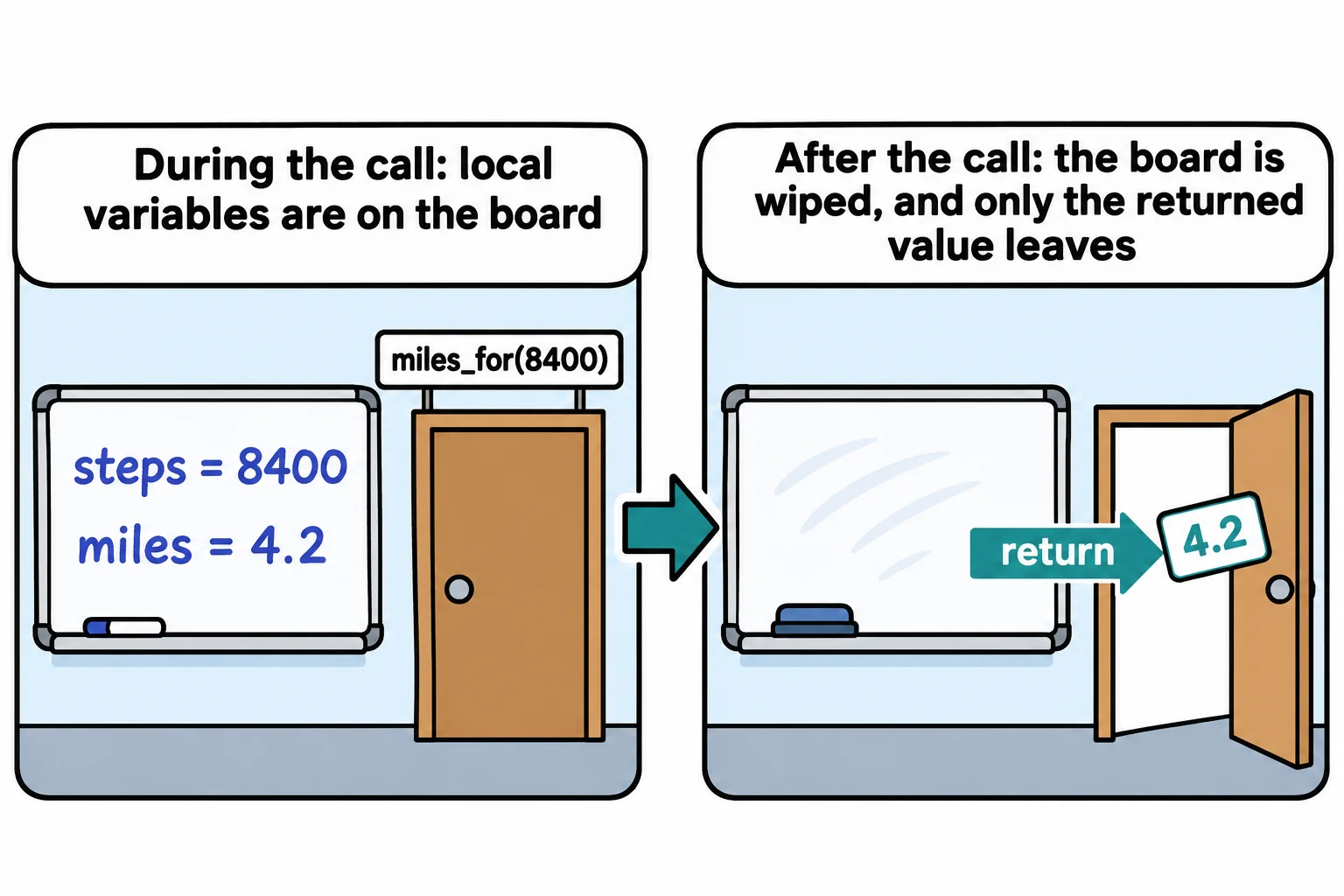
Think of a meeting room with a whiteboard. Everyone in the meeting can use what's written on it, and when the meeting ends, the board is wiped. A function's variables work the same way. A variable created inside a function is a local variable: it exists while the function runs, and it's gone when the call ends.
def miles_for(steps):
    miles = steps / 2000
    return miles


print(miles_for(8400))
print(miles)
The first print() works, and then Python stops. Here's what the terminal shows on Windows, from a file named stride.py in the course folder (your path will be your own):
4.2
Traceback (most recent call last):
  File "C:\Users\Sam\python-course\stride.py", line 7, in <module>
    print(miles)
          ^^^^^
NameError: name 'miles' is not defined
Read it from the last line up: the name miles isn't defined, on line 7, outside any function (<module> means "the file itself"). miles lived inside miles_for, and its whiteboard was wiped when the call returned. Only the value came out, through return. Each call starts with a clean board, too, so nothing left over from one call leaks into the next.
Global variables: seen from everywhere
A variable created outside every function is a global variable. The whole file can read it, functions included:
DAILY_GOAL = 10000


def percent_done(steps):
    return round(steps / DAILY_GOAL * 100)


print(percent_done(8400))
84
The capital letters are a convention Python programmers share: a name in capitals is a constant, a value set once that the program never changes. Reading a global like this one is fine.
The same name inside makes a new variable
Assigning is different. When a function assigns to a name, Python makes a new local variable with that name, even if a global one exists:
steps = 500


def morning_walk():
    steps = 3200
    print("Inside the function:", steps)


morning_walk()
print("Outside the function:", steps)
Inside the function: 3200
Outside the function: 500
Two variables share the name steps: the function's local one and the file's global one. The function never touched the global.
That rule surprises people when a function tries to add to a global total:
week_total = 0


def add_walk(steps):
    week_total = week_total + steps


add_walk(4200)
Python stops with UnboundLocalError: cannot access local variable 'week_total' where it is not associated with a value. Because the function assigns to week_total, Python treats it as local in the whole function, and the local one has no value yet when the right-hand side reads it.
Writing global week_total as the function's first line tells Python to use the global one, and the error goes away. It works, and it's a trap. Any function anywhere can now change the total, so to know its value you have to know every call that ran, in order. A test of add_walk has to reset the global first, and a bug in one function shows up as a wrong number in another.
Pass it in, hand it back
When you lend a coworker your clipboard, you hand it over, they add a line, and they hand it back. You can see the exchange happen. A function can work the same way: take the current total as a parameter, and return the new one.
def add_walk(total, steps):
    return total + steps


week_total = 0
week_total = add_walk(week_total, 4200)
week_total = add_walk(week_total, 3100)
print(week_total)
7300
Every change to week_total is on a line you can read, with = (read "gets") in plain view. add_walk uses only its parameters, so add_walk(4200, 3100) gives 7300 every time, whatever else the program has done. That's a function you can test, reuse and trust.
Do it: count Stride's goal streak without a global
Stride shows a streak: how many days in a row a walker has reached 10,000 steps. Its first version kept the streak in a global variable. Rewrite it as a function that takes the streak in and hands the new one back.
streak: the streak so far, in days.steps: today's steps.
Your job: write the function next_streak(streak, steps) so it returns the new streak.
- When
stepsis 10,000 or more, the streak grows by one: returnstreak + 1. - When
stepsis under 10,000, the streak starts over: return0. - Don't use
global: everything the function needs comes in as an argument. Calling it twice with the same values gives the same answer both times.
Worked through: a walker on a 3-day streak walks 12,000 steps today. 12,000 is at least 10,000, so next_streak(3, 12000) returns 4. If they'd walked 7,200 steps, next_streak(3, 7200) would return 0.
Practiced live on the lesson page: write the Python right there and check it.
Check yourself
2 questions to try on the lesson page.
So what
A function that only uses what it's given and only changes what it returns does the same thing every time it's called, which is what makes a program you can test and trust.