Deleting Documents Safely
deleteOne and deleteMany remove the documents a filter matches, with no undo, so you run the same filter with find first; an empty filter deletes everything, drop removes the whole collection, and a soft delete hides a document without losing it.
Apprentice · MongoDB · Updated
After this lesson you can
- Delete documents with deleteOne and deleteMany after checking the same filter with find, and explain what an empty filter deletes
- Archive documents with a soft delete instead of deleting them, and find the documents that aren't archived
- Choose the update or delete a change to Sunday Kitchen's data needs, from $set, $unset, $inc, $push, $pull, $addToSet, upserts and deletes
Key takeaways
- deleteOne removes the first document the filter matches, and deleteMany removes every match. deletedCount says how many went.
- A delete can't be undone. Run the same filter with find first, read what it finds, then change find to deleteMany.
- An empty filter matches every document, so deleteMany with an empty filter empties the collection. drop removes the collection itself.
- A soft delete sets a field such as archived to true instead of deleting, so the document can be hidden now and brought back later.
Clearing out test data, removing a canceled order, closing an account: sooner or later every app deletes something. A database has no recycle bin, so a delete with the wrong filter is gone for good, and the mistakes that cause it are small ones. You'll use what this lesson teaches every time you're about to remove data, at work and in your own projects.
The examples use Sunday Kitchen's 40 recipes from Adding Many Documents with insertMany. In mongosh, after use sunday_kitchen, load them again first:
load("sunday-kitchen-recipes.js")
true
deleteOne and deleteMany
A delete takes one argument: a filter, written exactly as in find. deleteOne removes the first document it matches, and deleteMany removes every match. Add a practice card, then delete it:
db.recipes.insertOne({ _id: 41, name: "Test Card", meal: "dinner", minutes: 1 })
{ acknowledged: true, insertedId: 41 }
db.recipes.deleteOne({ _id: 41 })
{ acknowledged: true, deletedCount: 1 }
deletedCount says how many documents went. Like an update that matches nothing, a delete that matches nothing isn't an error: it answers deletedCount: 0.
Look before you delete
Sunday Kitchen is retiring the recipes rated below 3.8. Someone writes the filter with $not, from Combining Conditions: $and, $or and $not. Before deleting anything, run the very same filter with find and read what it finds:
db.recipes.find({ rating: { $not: { $gte: 3.8 } } }, { name: 1, rating: 1 })
[
  { _id: 13, name: 'Veggie Stir-Fry' },
  { _id: 19, name: 'Lentil Soup', rating: null },
  { _id: 21, name: 'Palak Paneer' },
  { _id: 25, name: 'Bibimbap' },
  { _id: 29, name: 'Minestrone', rating: 3.7 },
  { _id: 32, name: 'Overnight Oats', rating: 3.6 },
  { _id: 35, name: 'Hummus', rating: null },
  { _id: 36, name: 'Spanakopita' },
  { _id: 39, name: 'Churros' }
]
Nine recipes, not two. $not matches every recipe whose rating isn't 3.8 or higher, and that includes the seven nobody has rated yet. As a deleteMany, this filter would have thrown away seven recipes that might be loved. $lt only matches real ratings:
db.recipes.find({ rating: { $lt: 3.8 } }, { name: 1, rating: 1 })
[
  { _id: 29, name: 'Minestrone', rating: 3.7 },
  { _id: 32, name: 'Overnight Oats', rating: 3.6 }
]
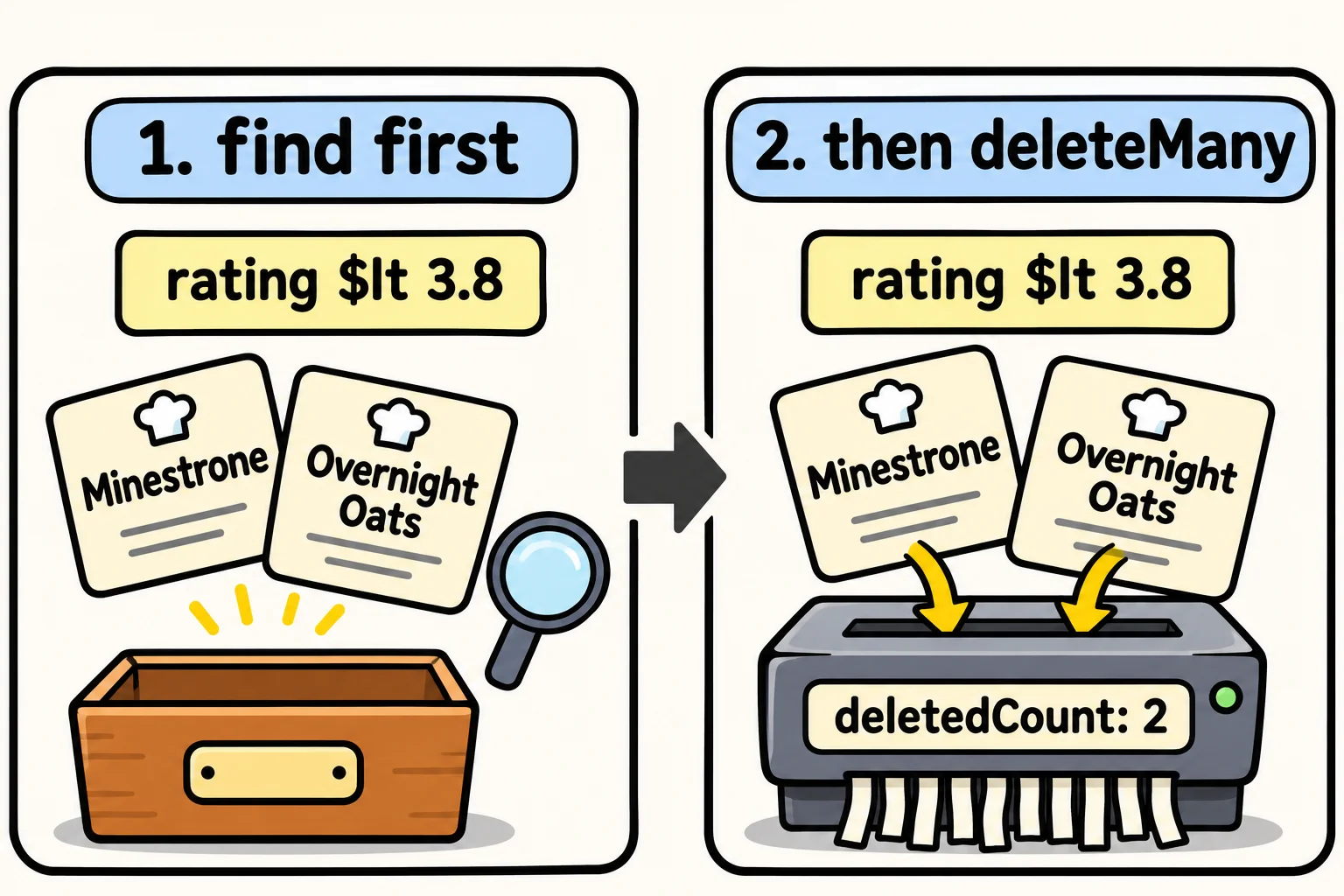
That's the list Sunday Kitchen meant. Now change find to deleteMany and nothing else, so the filter you checked is the filter that runs:
db.recipes.deleteMany({ rating: { $lt: 3.8 } })
{ acknowledged: true, deletedCount: 2 }
The habit is three steps: write the filter, run it with find (or countDocuments for a big collection) and read the answer, then change only the method name.
The empty filter deletes everything
An empty filter, {}, matches every document. That's what makes find({}) list them all, and it's what makes this delete every recipe:
db.recipes.deleteMany({})
{ acknowledged: true, deletedCount: 38 }
db.recipes.countDocuments()
0
The collection is still there, empty. drop() (read "drop") removes the collection itself, which sunday-kitchen-recipes.js does at its start so it can load fresh:
db.recipes.drop()
true
Load the recipes again before you go on:
load("sunday-kitchen-recipes.js")
true
Soft deletes: hide it, keep it
Sometimes deleting is the wrong tool: a recipe might come back next season, a cook may still have it in their favorites, or someone may ask what was removed. A soft delete marks the document instead of removing it, often with an archived field:
db.recipes.updateMany({ rating: { $lt: 3.8 } }, { $set: { archived: true } })
{
  acknowledged: true,
  insertedId: null,
  matchedCount: 2,
  modifiedCount: 2,
  upsertedCount: 0
}
The menu then asks only for the recipes that aren't archived. $ne: true also matches the documents with no archived field, which is all the others:
db.recipes.countDocuments({ archived: { $ne: true } })
38
Bringing a recipe back is one update, $unset: { archived: "" }. The cost is that every query that lists recipes has to remember the archived filter.
Which change for which job
This chapter has given you a tool for each kind of change. Before you write one, name the kind:
| The change | The tool |
|---|---|
| Fix or add a field | updateOne with $set |
| Take a field away | $unset |
| Count up or down | $inc |
| Add to a list, repeats allowed | $push |
| Add to a list only once | $addToSet |
| Take every copy of an item out of a list | $pull |
| Create it, or change it if it's there | an update with upsert: true |
| Remove documents for good | deleteMany, after find with the same filter |
| Hide documents, but keep them | a soft delete: $set: { archived: true } |
Check yourself
2 questions to try on the lesson page.
So what
Deleting is the one change you can't take back. Checking the filter with find first, knowing what {} means, and archiving instead when you might need it back are what keep a cleanup from becoming a lost afternoon.